
A promising browser
Built around Chromium, the same open-source code as Google Chrome, URBrowser offers a familiar interface from which to begin your browsing. This alone may not be enough to tempt you from your current browser, but does offer a handful of additional extras to improve your online interactions.
Top Recommended Alternative

Have it your way
With Chromium acting as its foundation, URBrowser is a solid and customizable gateway to the internet. From the settings menu, you can edit your homepage, add extensions, set what screens display on startup… the usual. And, the chances are, you will want to make some immediate edits as URBrowser uses Ask.com as its default search tool. Its common ancestry with Chrome enables you to sync your settings between the platforms. Bookmarks and Favorites settings from other browsers, like Firefox, can also be quickly imported. You also get access to the Chrome Store’s many extensions – although it does block some of these add-ons to protect its stability. Here, however, is where URBrowser starts to differentiate itself with a good selection of tools coming built-in.
While it may not be the most significant of the features on offer, URBrowsers most touted addition is the inclusion of visual customization features. Positioned in the top right corner of the screen, next to the settings, is the Personalization button. This offers a multitude of face-lifts for URBrowser, altering colors, background images, and the desktop icon. Unfortunately, there are not many themes yet on offer, but the options are promised to expand and it is an easy way to personalize your browser’s appearance. Unless you spend a lot of time on blank pages, however, the only change you will regularly notice is the title bar’s color.
Simple media management
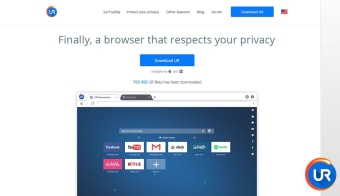
URBrowser’s other additions do offer more practical functionality. Chief among these is its Media Downloader. This tool again sits up in the top-right corner of the screen but is always active. This means that, whenever you visit a site and roll over a video or image, a button pops-up to give you the option to download it. Downloads come with a range of options, allowing you to save videos or just their audio and letting you quickly apply filters to images. To make organizing these easier, URBrowser also keeps everything together in a media tab for reference. It’s a well-integrated tool and is defiantly the standout element of the package. Rolling over the address bar prompts a menu of regularly visited sites to drop down. This is tiled with icons of popular sites at first but quickly populates with your own favorite pages. It’s a handy little addition, that manages an attractive half-step between searching your bookmarks, favorites, and history. Along with Chrome’s standard safe browsing experience – which warns you of suspicious sites – URBrowser promises that it comes with “Antivirus” and "Adblocker".
Filled with promise
URBrowser’s genesis in Chromium makes it all feel familiar and easy to navigate – plus, of course, it allows Chrome users to sync all of their settings with ease. However, the reasons to move over to it currently are limited due to many of its advertised functions only being promises. The one stand-out element is its Media Downloader which, thanks to its sheer convenience and ability to organize downloaded media, defiantly makes URBrowser standout.




















.png)